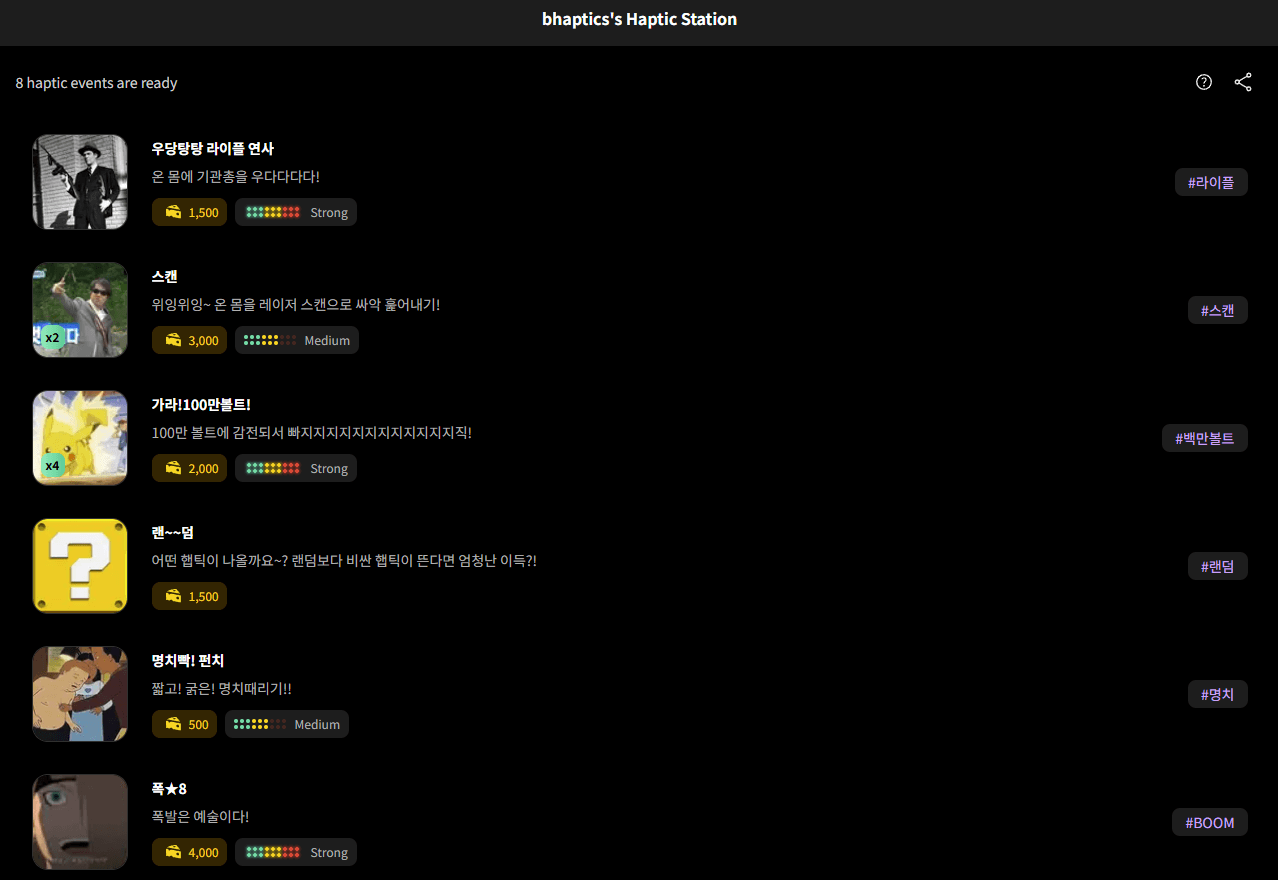
Sharing the Menu
How to share your station (menu) with viewers.
1
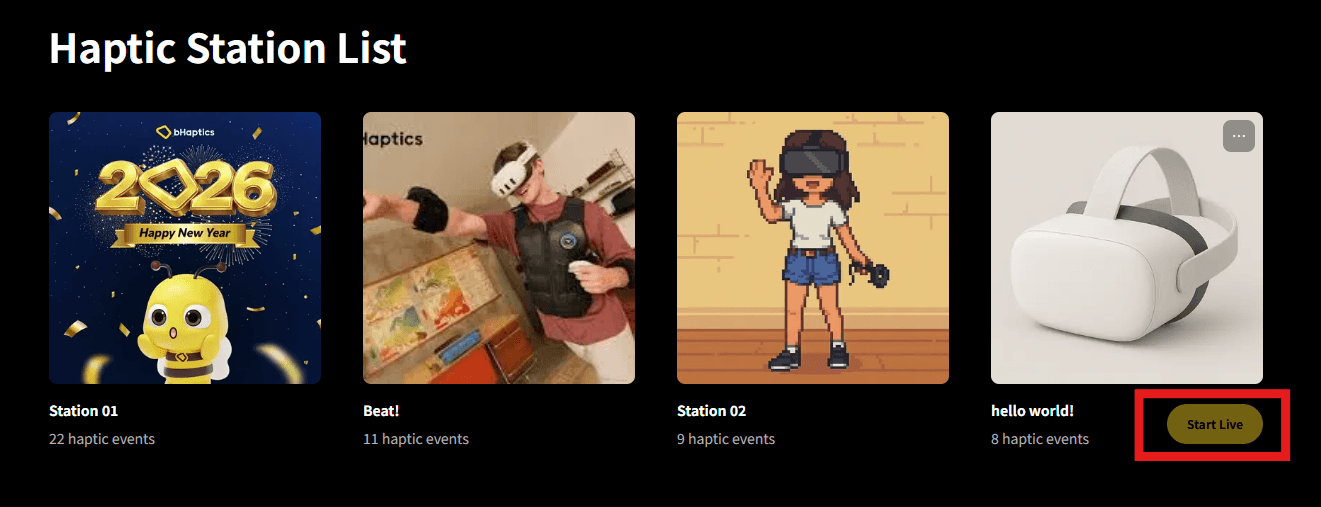
Set Station On Air
Select the station to use for streaming and press the On Air button to activate it. The station will only be visible to viewers when it's On Air.
2
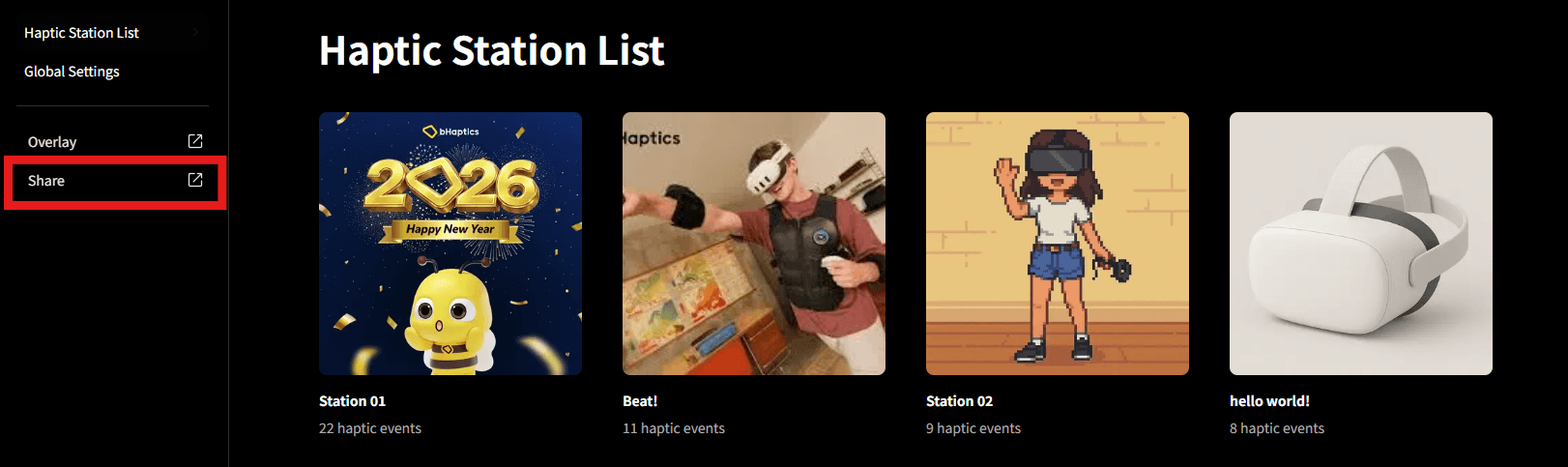
Share Station Link
Click the "Share" button in the left sidebar to copy the URL of the currently On Air station. Share the URL in stream announcements, chat, or description.
3
Viewer Screen
Viewers can access the shared URL to see all haptic events organized in the station (menu). Viewers can select and copy haptics from the menu to use in donations.